Archive
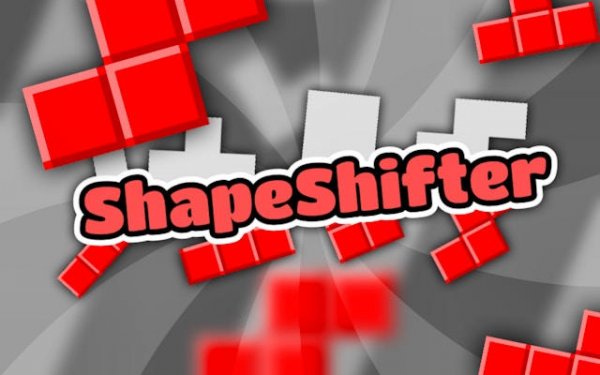
ShapeShifter: Geometry Puzzle Arcade

ShapeShifter: Geometry Puzzle Arcade

Arcade Addictive Puzzle
Developer: Aquatic Reign Labs
Published: 2024-12-03
Updated: 2026-06-06

What players say

ShapeShifter provides a satisfying blend of quick thinking and shape recognition. The gradual speed increase keeps you engaged without frustration, and the practice mode is helpful for newcomers. Replayability is high as you aim to beat your own scores and unlock new levels. A solid choice for casual gaming sessions.

About this game

Game Introduction

ShapeShifter: Geometry Puzzle Arcade is a dynamic puzzle game that challenges players to quickly identify, match, or transform geometric shapes as they appear on screen. Designed for all ages, it combines rapid decision-making with shape recognition, testing both perception and reflexes. The game offers a practice mode for beginners to learn core mechanics before advancing to faster levels. With its focus on geometry and quick thinking, ShapeShifter provides an engaging experience that is easy to pick up but offers increasing difficulty to keep players motivated.

How to Play

Players start by selecting a practice mode to learn the basics. The game displays a target geometric shape, which you must match or transform using on-screen controls. On mobile devices, you typically tap or swipe to adjust shapes, while on desktop you click to select and modify them. Each level includes a timer, so you must act quickly. As you progress, the speed increases, challenging your reflexes and accuracy. Consistent practice helps you improve your score and unlock new levels.

Game Features

Key features include fast-paced gameplay that keeps you alert, brain-boosting challenges that enhance cognitive skills, and mobile-optimized controls for smooth play on any device. The game offers family-friendly fun suitable for all ages, with a rewarding mix of puzzle-solving and reflex testing. Its vibrant design and gradual difficulty curve ensure lasting enjoyment for casual players and puzzle fans alike.

Tips for Success

To succeed, start with practice mode to master the core mechanics. Focus on recognizing shapes quickly and making efficient moves. As speed increases, stay calm and prioritize accuracy over speed. Regular practice will improve your reflexes and help you achieve higher scores. Set small goals for each session, such as beating your previous high score or completing a level without mistakes.

Compatibility

✅ This game supports:
- Desktop browsers (Chrome, Edge, Safari)
- Mobile browsers (Chrome on Android, Safari on iOS)
❌ Does NOT support: - Internet Explorer - Very old browser versions
👉 Try refreshing or updating your browser
FAQ
Is ShapeShifter free to play?
Based on the game type, ShapeShifter may be free to play with optional in-app purchases or ads, as is common for casual arcade puzzle games. However, the specific pricing model is not stated in the available information. Check the app store or game page for details.
Can I play ShapeShifter offline?
Many casual puzzle games like ShapeShifter can be played offline once downloaded, but this depends on the developer's settings. The available information does not specify offline capability. For a definitive answer, refer to the game's official description or support page.
Does ShapeShifter have a leaderboard?
Arcade puzzle games often include leaderboards to compare high scores with other players, but the provided information does not confirm this feature for ShapeShifter. It may have a local high score tracker or an online leaderboard. Check the game's features list for confirmation.
What age group is ShapeShifter suitable for?
ShapeShifter is described as family-friendly and suitable for all ages. The game focuses on geometry matching and quick reflexes, making it appropriate for children and adults alike. Younger players may need initial guidance, but the practice mode helps beginners learn at their own pace.
Are there different difficulty levels in ShapeShifter?
The available information indicates that the game has a practice mode for beginners and that speed increases as you progress, which suggests a gradual difficulty curve. However, specific difficulty levels (easy, medium, hard) are not mentioned. Players can expect challenges to become faster over time.
How can I save my progress in ShapeShifter?
Typically, casual puzzle games automatically save progress locally on your device or through cloud save features if available. The provided information does not specify how ShapeShifter handles saving. To be sure, check the game's settings or official support documentation.
Advertisement

See if these games match your taste.